Filmstro for Premiere Pro Is Here. Edit Music Inside Your Timeline
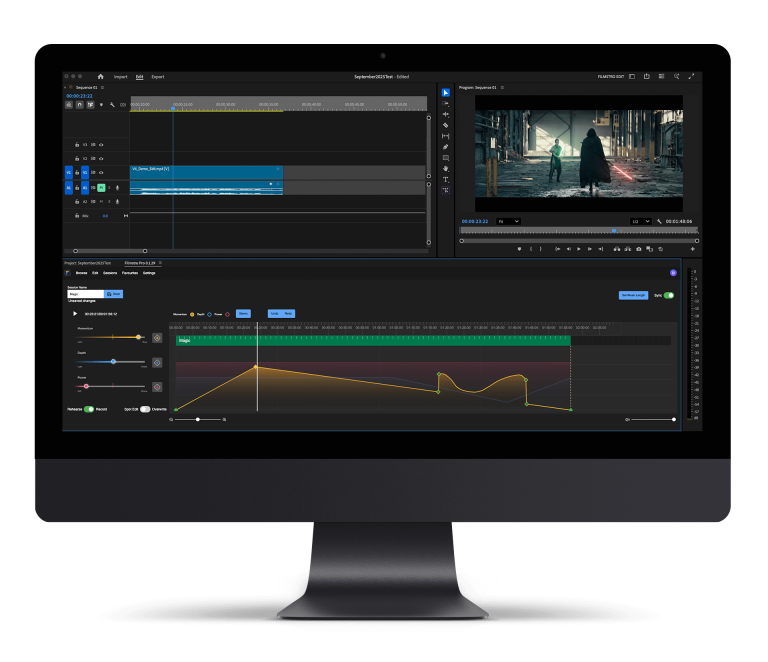
We’re thrilled to announce the release of the Filmstro Premiere Pro Extension; bringing adaptive, cinematic music directly into your editing timeline.
For the first time ever, you can control the emotion of your soundtrack without leaving Premiere Pro. Craft mood, momentum, and depth in perfect sync with your visuals, all in real time.
Why This Is a Big Deal
Filmstro has always been about helping filmmakers shape the emotional arc of their stories. Until now, that meant switching between our web app and your edit. With the new Premiere Pro Extension, everything happens right inside your timeline – seamlessly integrated with your workflow.
No exporting. No bouncing between apps. Just music that adapts to your edit.
Key Features
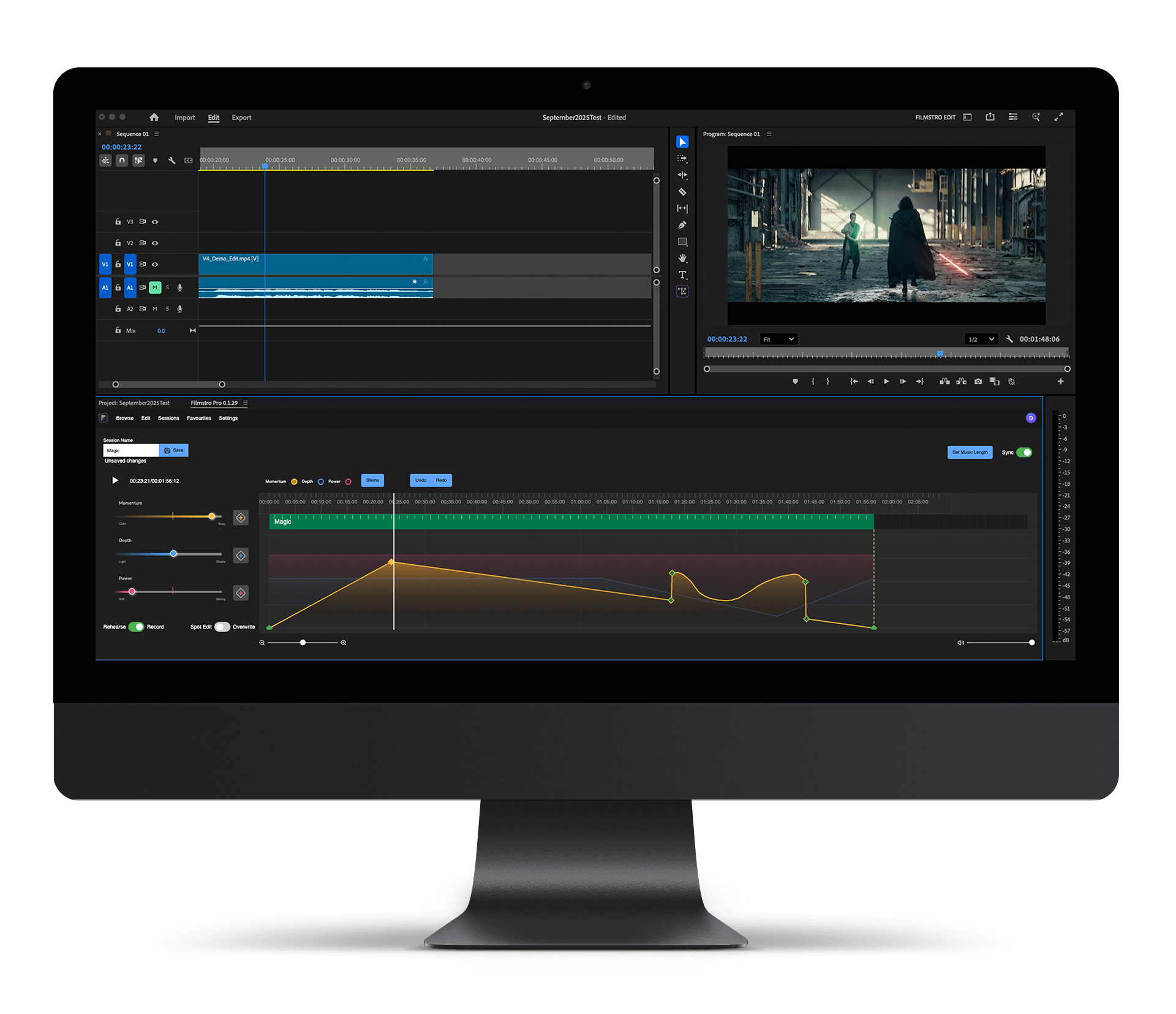
The extension mirrors the core tools of the Filmstro Web App; giving you all the intuitive power you already know and love, right inside Premiere Pro:
Dynamic Sliders: Adjust Momentum, Depth, and Power in real time while you play back your edit.
Keyframe Editing: Use the pen tool, add and move keyframes, and shape emotion to your cut with total precision.
Smooth Transitions: Add transitions between keyframes for seamless changes in tone or pacing.
Improved Stem Control: View and mute individual stems while monitoring your timeline – perfect for refining your mix.
Custom Length Control: Define your music length using Premiere’s “In” and “Out” points, set a custom length, or reset it back to its default duration anytime.
What’s Coming Next
We’re already working on the next update, which will bring even more features to the extension, including:
Keyboard Shortcuts: K, L, and other familiar Filmstro commands are on their way, such as nudging the playhead by one frame or one second at a time and adding keyframes with short cut keys.
Dynamic Preview Mode: Quickly test different moods before committing to a track.
Save As & Templates: Easily save alternate versions and start new projects faster than ever.
This is just the beginning, and we can’t wait for you to experience it.
Access Details: Who Gets What
We’ve had a few questions about who gets access to the new Filmstro Premiere Pro Extension, so here’s the complete breakdown:
Legacy Plans
Youtuber Monthly / Annual: No access. Upgrade to the Creator Extension Plan (monthly or annual).
Pro | Plugin Plan: Automatic access continues.
Pro Plus Annual / Monthly: Automatic access.
Current Plans
Creator Monthly / Annual: No access. Upgrade to the Creator Extension Plan (monthly or annual).
Pro Monthly / Annual: No access. Upgrade to Pro Extension Plan (monthly or annual).
Enterprise: Automatic access.
Lifetime Plans (AppSumo & Others)
No access.
However, we’ve created a special “Lifetime Extension” bolt-on subscription that adds Premiere Pro Extension access for just $5/month.
To request access to this offer, please contact us directly.
How to Get Early Access
During this early access phase, the extension is free to try — just request access here and we’ll send you the download link. Please note that you will need to be logged in to your Filmstro account in order to access the download. If you don’t have an account, simply sign up for a free account before requesting the download!
Once you’ve installed the extension using any ZXP installer, you’ll find it inside Premiere under:
Window → Extensions → Filmstro
We recommend saving a dedicated workspace layout for music editing so you can give the extension the screen space it deserves.
The Future of Adaptive Music Editing
This new integration marks a huge step for Filmstro and for filmmakers everywhere. You can now score your story in context – experiment, refine, and finalize your music all from within your edit.
Filmstro has always been about giving creators control of emotion in their storytelling. With the Premiere Pro Extension, we’re taking that mission further than ever.
🎬 Score your story — don’t just drop a track on it.