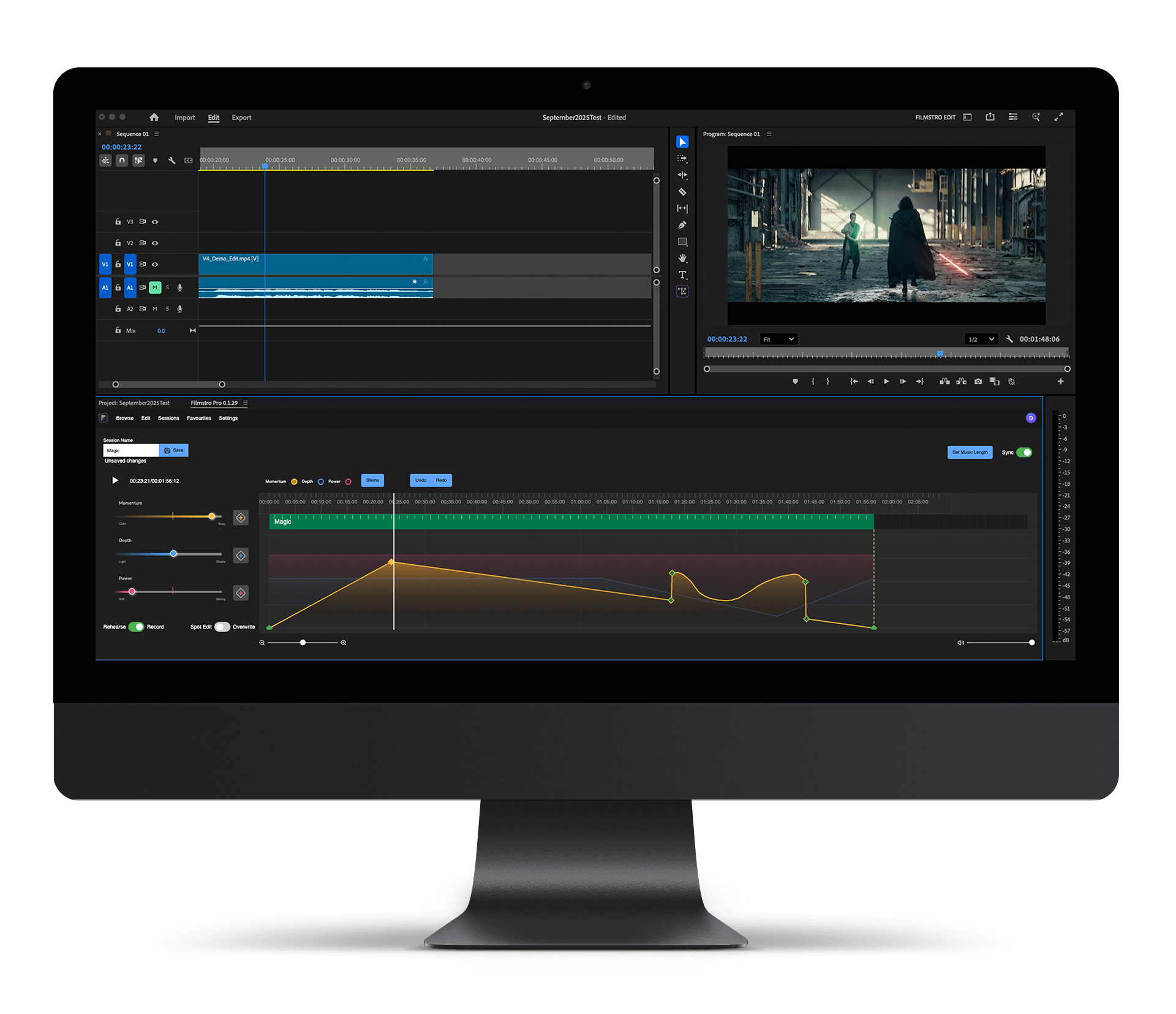


Upgrade using the Subscription Plan below. You will receive a download link for the Premiere Extension on purchase.
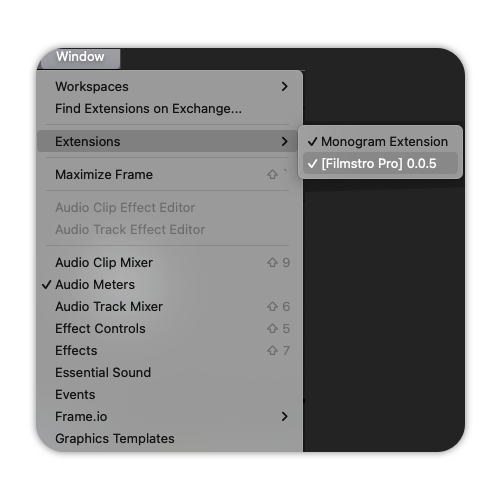
Install the Filmstro Extension with the Anastasiy Extension Manager
A dedicated solution for all lifetime license holders
The biggest difference is that it’s mostly a native experience which means you don’t require a constant internet connection in order to save changes. You need to be online to browse the catalogue and load a track into your edit, but after that everything is handled offline. This makes editing on-the-go possible as all of your assets are cached locally for your project. It’s also more performant as Filmstro no longer needs to handle the video – which Premiere Pro takes care of. Letting us focus on what we do best, which is adaptive music. Check out the features below to see what you could unlock inside of Premiere Pro today!
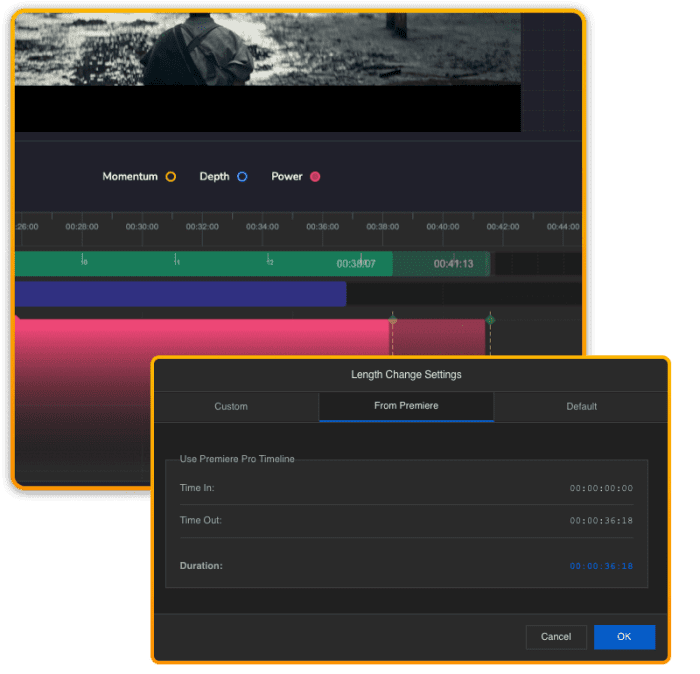
Set your “in” and “out” points in Premiere. Click “Get from Premiere” in the Filmstro plugin settings – and your music adjusts automatically to match the exact length of your scene. No fiddly chopping or looping of audio in your NLE. Just pristine audio at the precise length you need for your project.
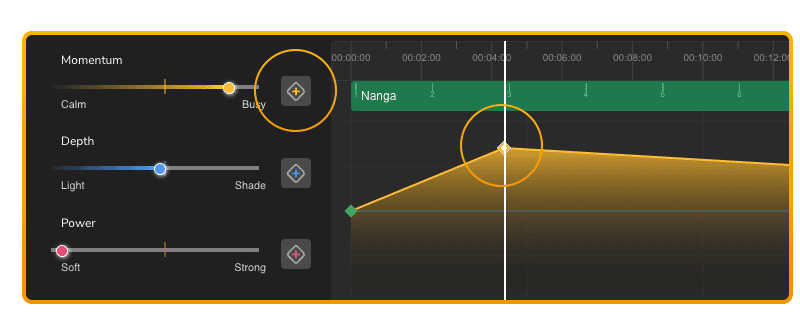
Use Filmstro’s unique editor to literally keyframe musical emotion to respond to frame-accurate changes in your edit – just like animating in Premiere. Take control of the music’s momentum, depth, and power to craft musical arcs that hit every beat of your story.
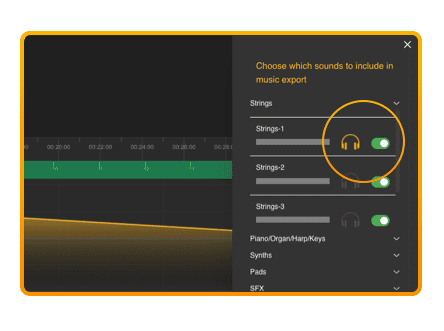
Found a track that’s nearly perfect – but you wish you could switch off the vocal or another instrument you don’t like?
With Filmstro’s stem control feature you can isolate each individual instrument in the mix and then mute any sound(s) you don’t want in your final export – giving you the tools to create your own custom mix for clarity, tone, or emotion.
Check out this short video to see how to install, launch and unleash the power of Filmstro directly inside Premiere Pro!