

Documentation
Fundamentals
Pen Tool
The Pen Tool allows you to add custom shapes to the timeline without recording the Scoring Sliders in real time.
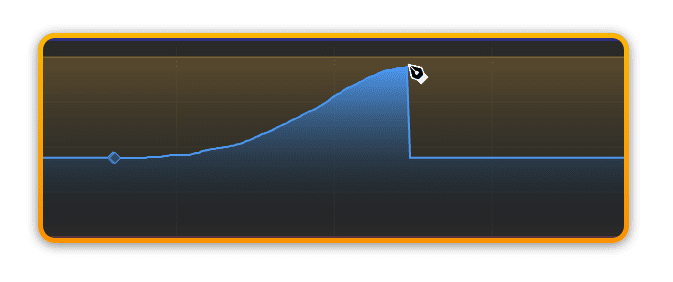
Activate Pen Tool
To use the pen tool simply hold the ALT key while clicking and dragging with the mouse to add the desired shape to the timeline.
?You don’t have to use the Pen Tool only in offline mode. You can actually draw directly into the timeline while the playhead is moving to hear the result your Pen Tool edits are creating immediately.
Pen Tool and Keyframes
You can always add Pen Tool data in the timeline between existing standard Keyframes.

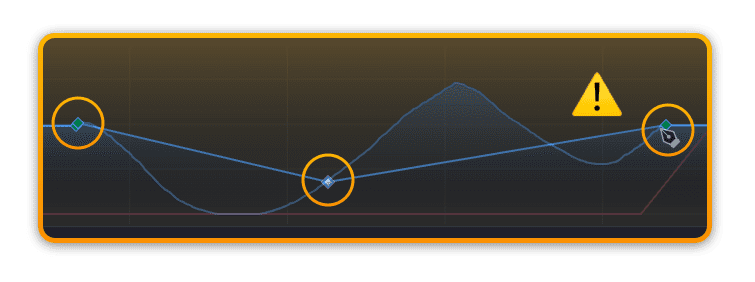
?Please note that when you add keyframes into a custom Pen Tool shape, it will convert this to Keyframes and add a linear interpolation between the existing (Protective) Keyframes and the newly added Keyframe.
Prev
Next