

Export
The Export settings preferences allow you to change the sample rate to correct any conflict between your system’s audio and Filmstro’s audio engine.
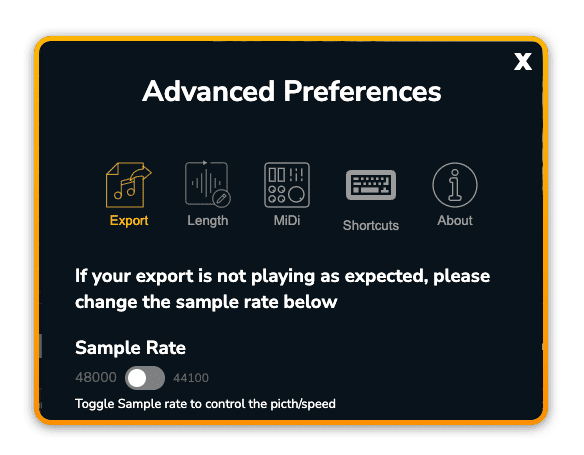
Sample Rate change
If your final exported soundtrack sounds slightly higher and faster than the music in the App then you will need to change the sample rate down to 44,100.
If the final exported soundtrack sounds slightly lower and slower than the music in the App you will need to change the sample rate up to 48,000.
Change your system audio
If you don’t think your set-up is going to change frequently and you want to avoid having to re-export, you can also change your system audio to be more compatible with Filmstro.
Instructions for Mac
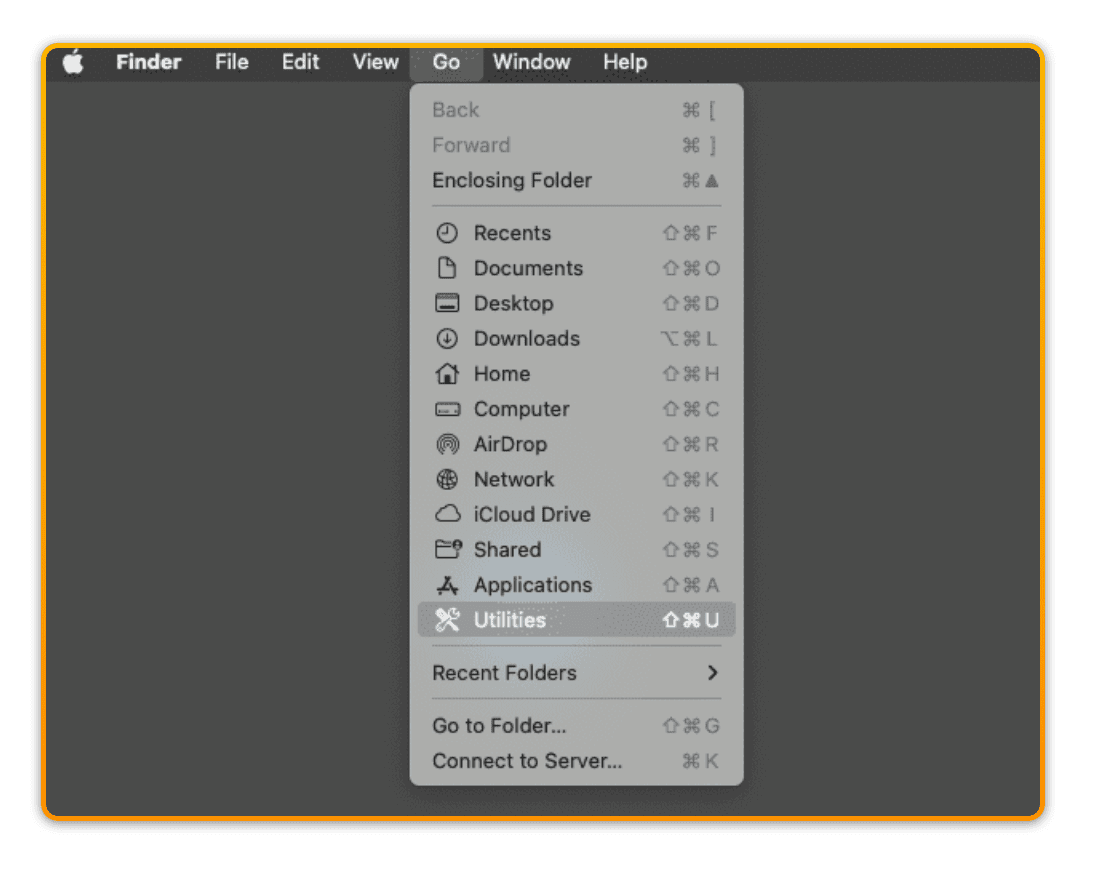
1️⃣ Navigate to Utilities
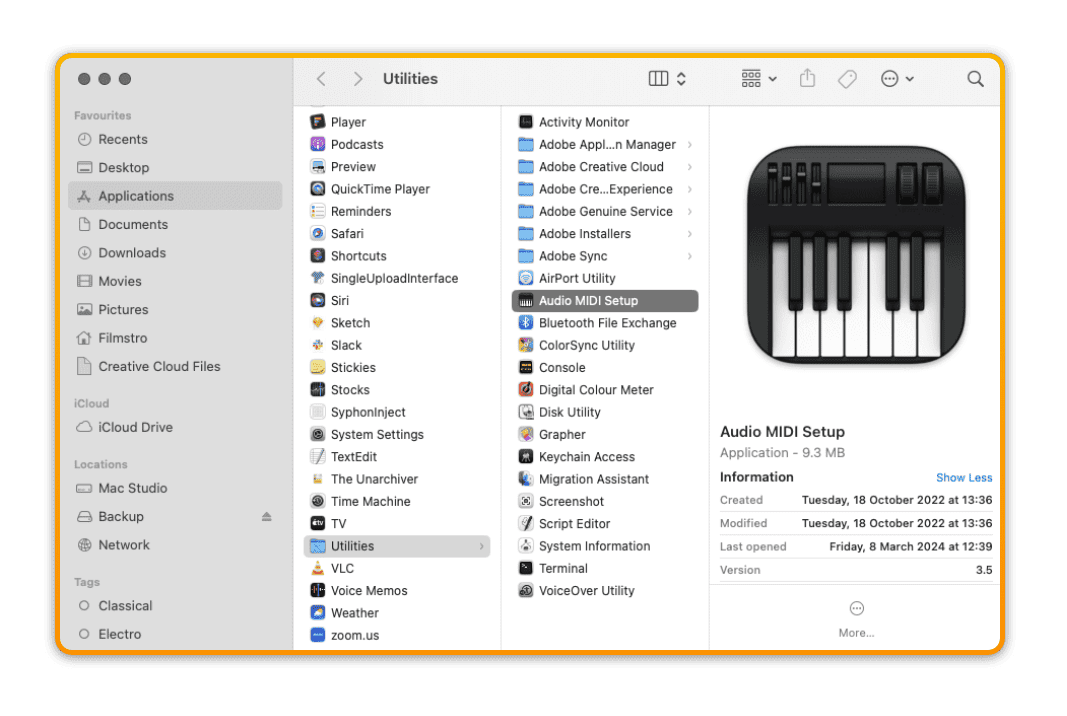
2️⃣ Open Audio MIDI Setup
3️⃣ Change your Audio Devices to 48,000 Hz sample rate
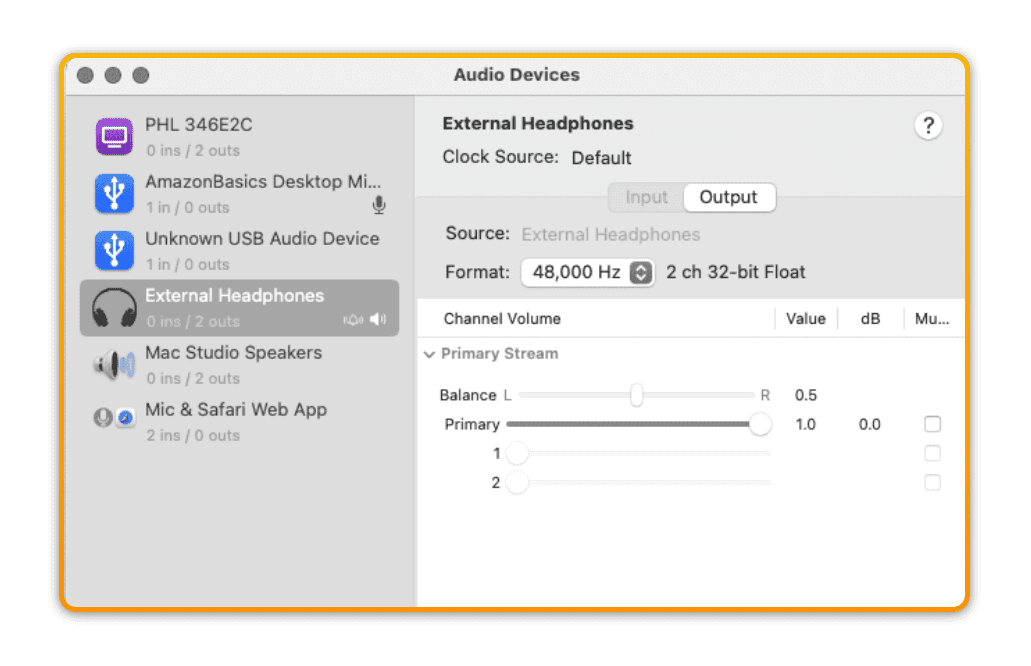
?If given a choice, choose 16 bit instead of 24 bit.
Instruction for PC
1️⃣ Open your Sound Settings
1️⃣ Navigate to the Playback tab
1️⃣ Under > Advanced > change your default format to 48,000 Hz.
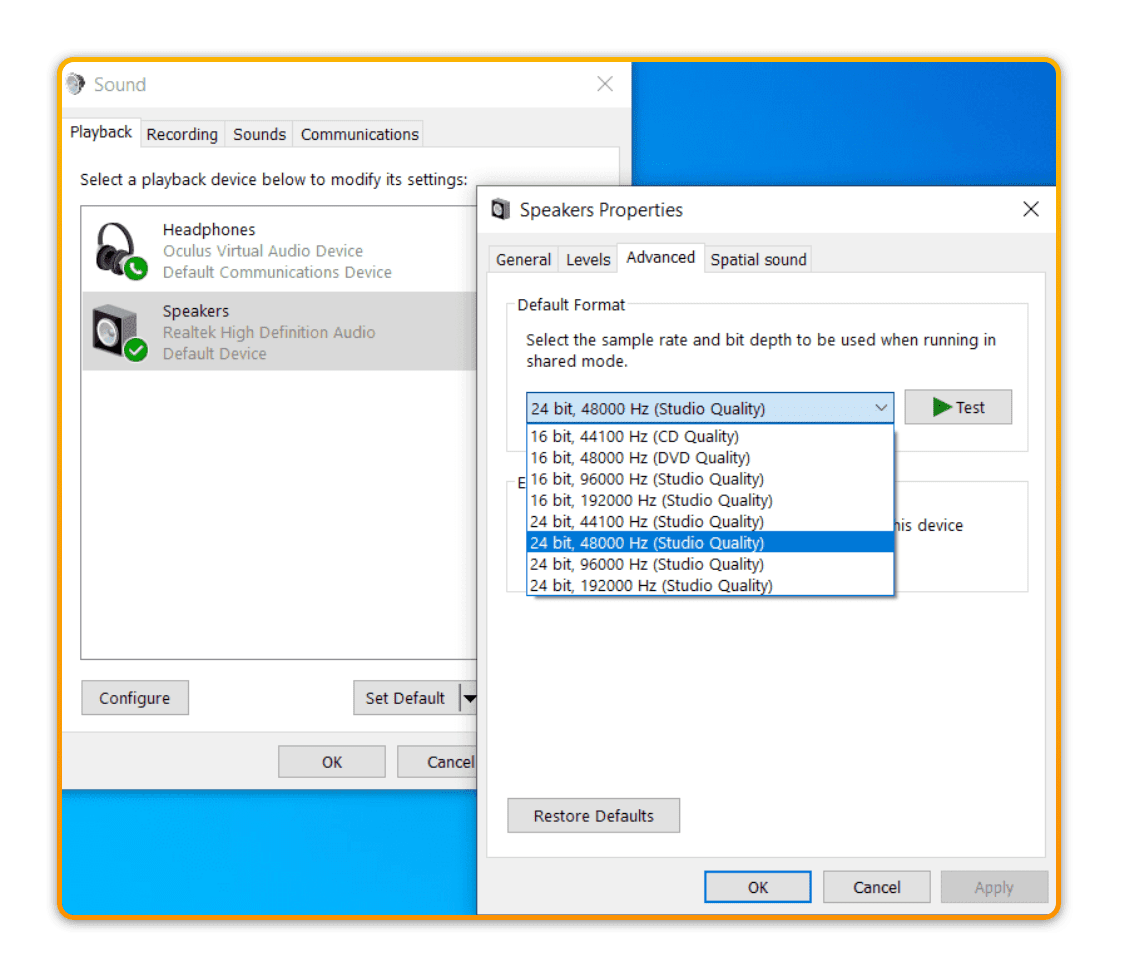
?If given a choice, choose 16 bit instead of 24 bit.