


Download
Install
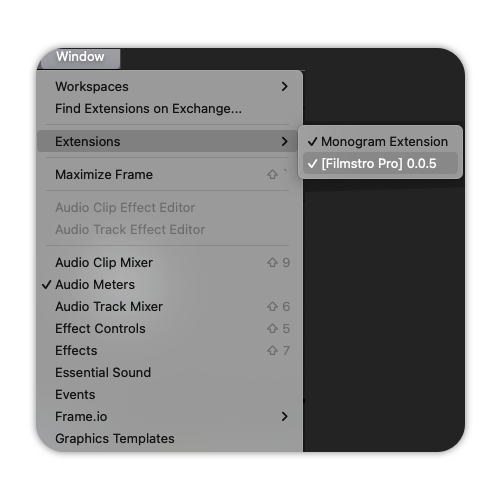
Install the Filmstro Extension with the Anastasiy Extension Manager

These aren’t flashy extras or nice-to-haves. They’re practical tools built to remove the most time-consuming, frustrating parts of scoring an edit. Whether you’re working to tight deadlines, juggling revisions, or delivering multiple versions for clients, these three features help you move faster, stay creative, and avoid costly compromises.
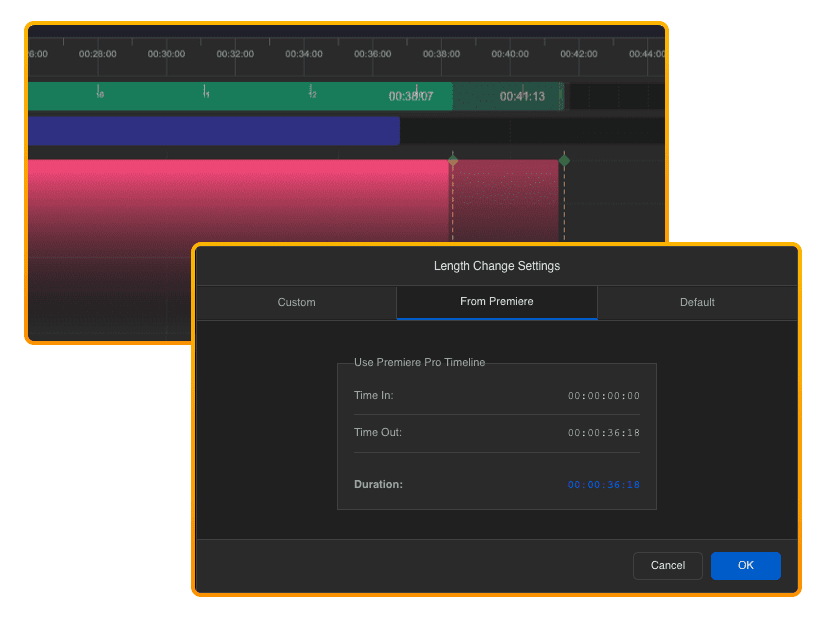
Set your “in” and “out” points in Premiere. Click “Get from Premiere” in the Filmstro plugin settings – and your music adjusts automatically to match the exact length of your scene. No fiddly chopping or looping of audio in your NLE. Just pristine audio at the precise length you need for your project.
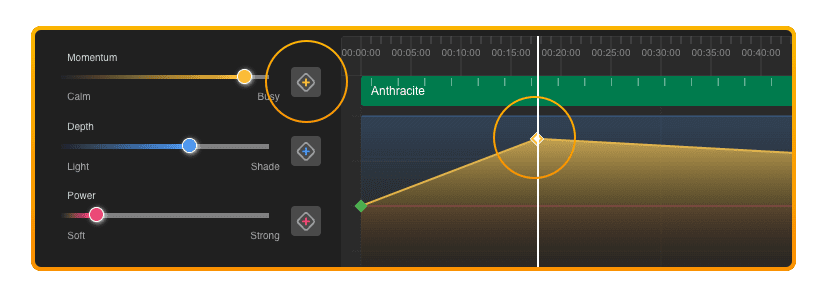
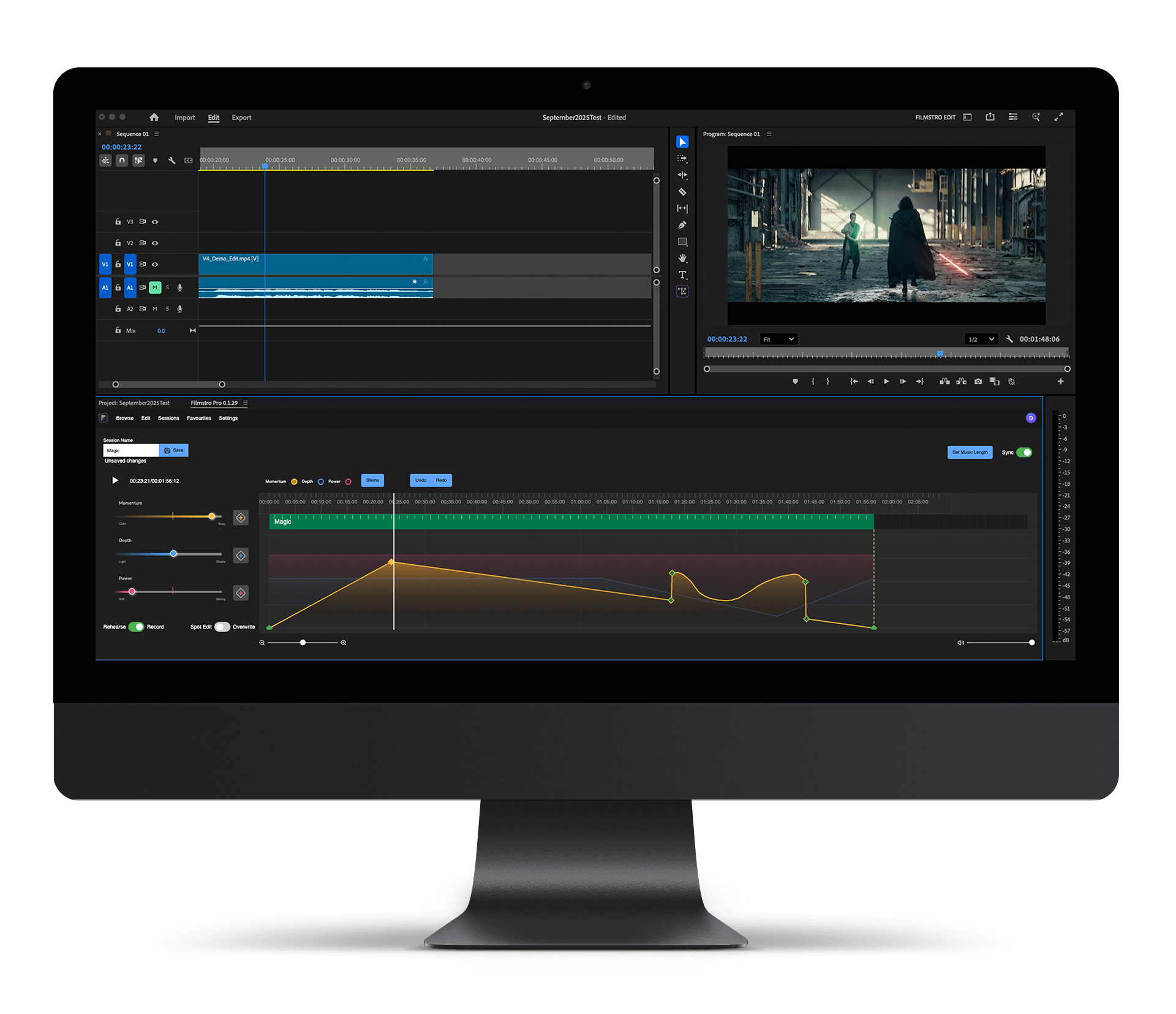
Use Filmstro’s unique editor to literally keyframe musical emotion to respond to frame-accurate changes in your edit – just like animating in Premiere. Take control of the music’s momentum, depth, and power to craft musical arcs that hit every beat of your story.
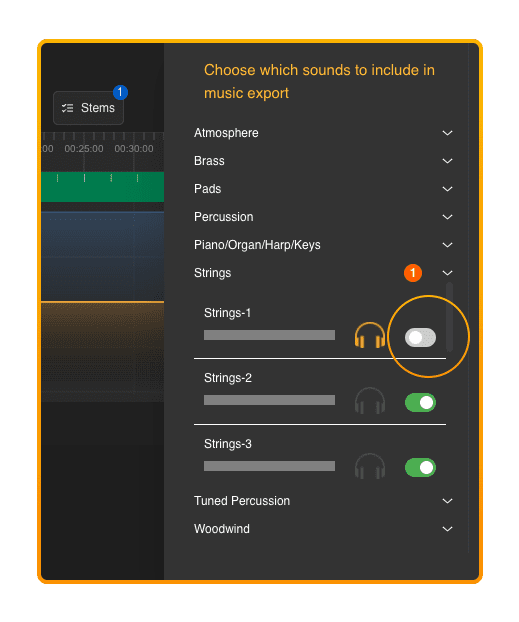
Found a track that’s nearly perfect – but you wish you could switch off the vocal or another instrument you don’t like?
With Filmstro’s stem control editor you can isolate each individual instrument in the mix and then mute any sound(s) you don’t want in your final export – giving you the tools to create your own custom mix for clarity, tone, or emotion.
Check out this short video to see how to install, launch and unleash the power of Filmstro directly inside Premiere Pro!
For social content creators
For social content creators using Adobe Premiere Pro
For freelancers & content creators
For social content creators
For social content creators using Adobe Premiere Pro
For freelancers & content creators
For freelancers & small teams using Adobe Premiere Pro

Simply download the Anastasiy ZXP installer from this page and, once you’ve downloaded the Filmstro extension, use the installer to add it to Premiere Pro!
Yes. Simply download the Extension – you will be prompted to sign up for a free account with a valid email if you’re not logged in.
There are several plans that give you automatic access to the Premiere Pro Extension:
For NEW subscribers:
1. Creator Extension plan
2. Pro Extension plan
3. Enterprise plans
For existing LEGACY subscribers:
1. Pro Plus monthly or annual subscription
2. For-profit-company monthly or annual subscription
If you don’t see your plan listed above, then you can read more in this article.